GeneusDNA
Problem
People with no background in genetics need to understand more than 500 complex DNA results (analysed from 20,000+ genes and over 10 million data points) — and, more importantly, apply them to everyday life rather than being handed numbers and jargon they can’t read. The brief was to connect the landing page (which has to explain the service before purchase), the report system (which has to translate medical analysis for a general audience) and the mobile app (for long-term tracking) into one experience that stays easy to understand the whole way through.
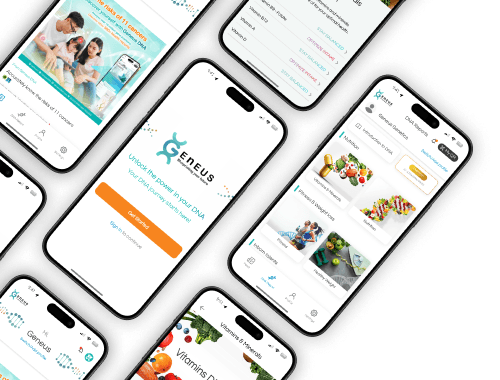 FIG. 02
 Turning complex genetic data into an experience anyone can understand — a complete digital ecosystem: a landing page that walks people through collecting a saliva sample at home, a report system that turns 500+ results into an easy-to-read spectrum slider with gene and marker references, and a mobile app for tracking health over time.
- Report items
- 500+ results
- Sample
- Saliva, collected at home
- Report UI
- Gene-trait Spectrum Slider
- Laboratory
- CLIA / CAP accredited
- Delivered via
- GeneusDNA app
- Report designs
- 20+ report types, ancestry to drug response
Role & Approach
I was the UX/UI Designer. Briefs and analysis results came from the Research Team as plain text, full of genetics terminology. My core job was to organize, filter and rewrite that raw material so a general reader could understand it immediately — and to communicate it visually rather than as walls of text. That is where the Gene-trait Spectrum Slider came from: each result becomes a position on a bar that can be read at a glance, instead of a value or a medical term to decode.
01Landing page
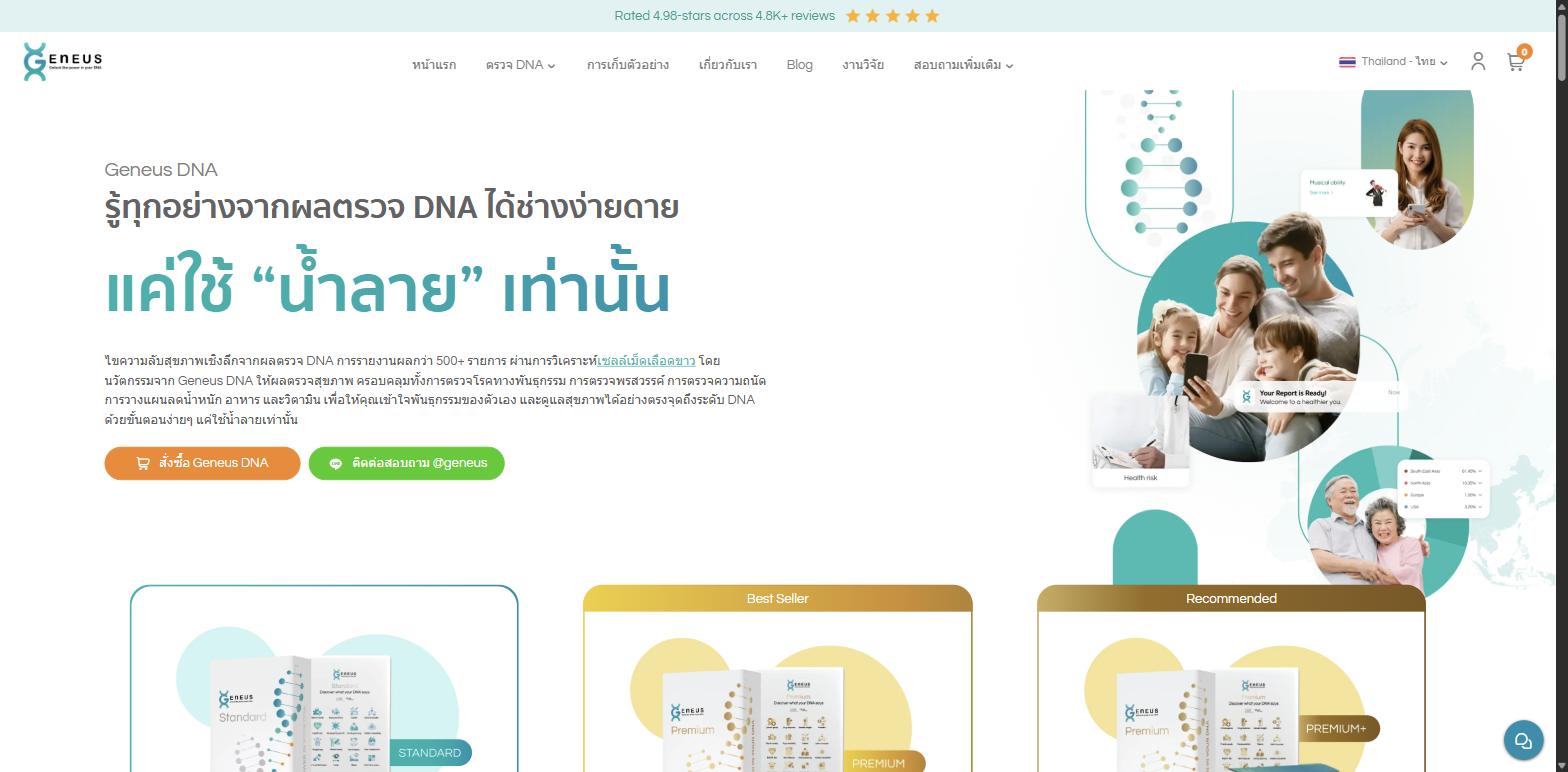 FIG. 03
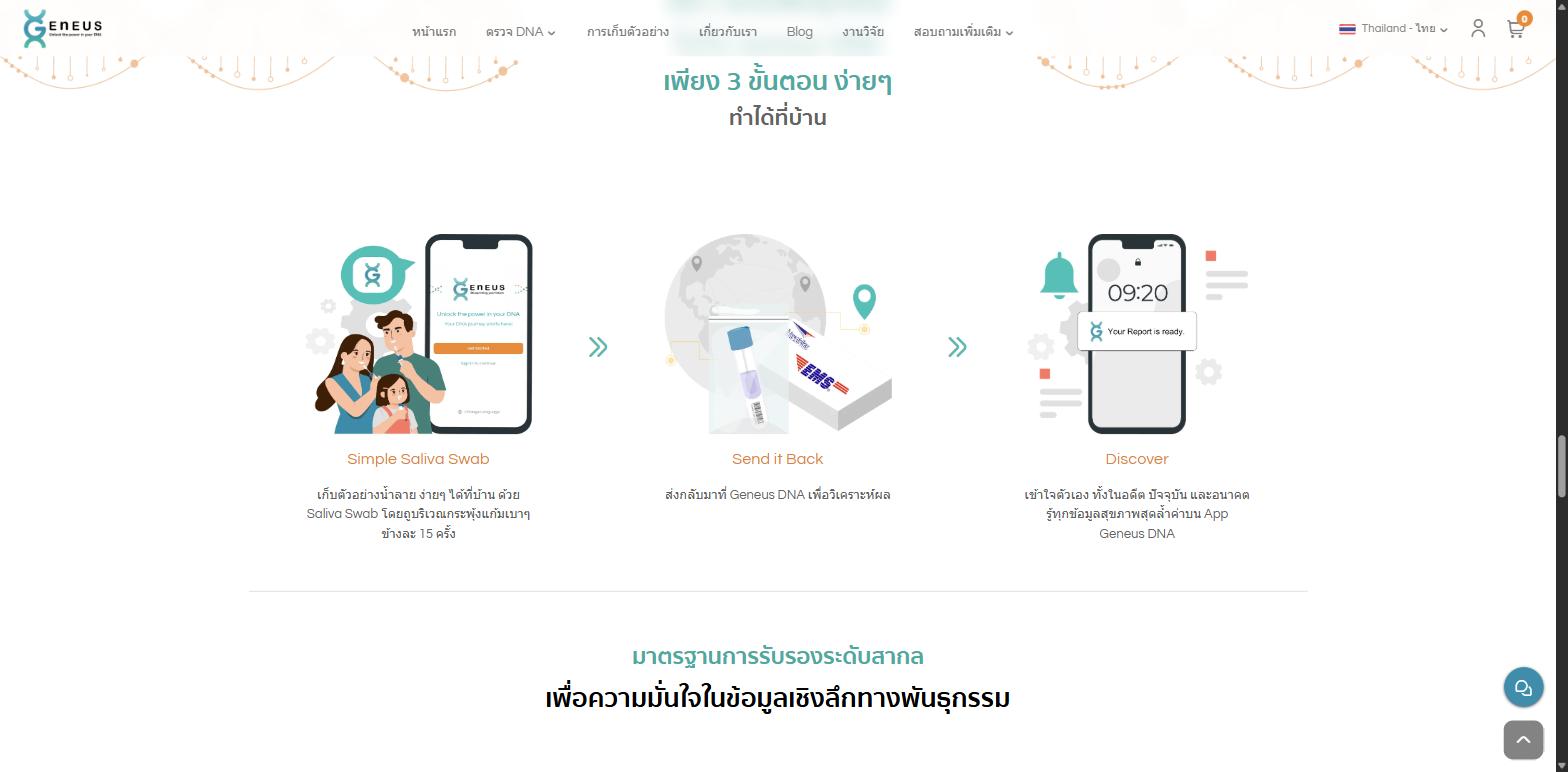 FIG. 04
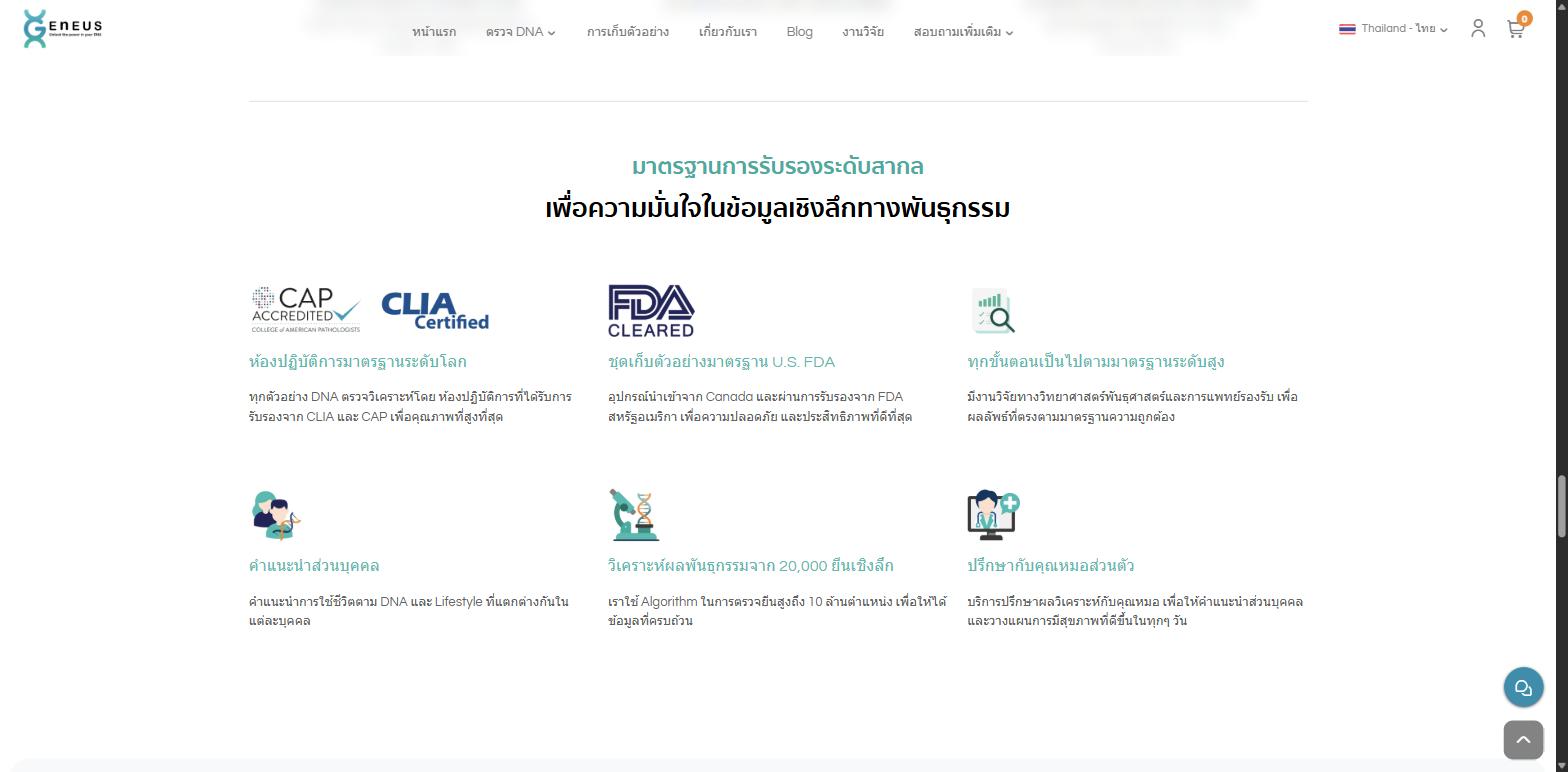 FIG. 05
02Report system
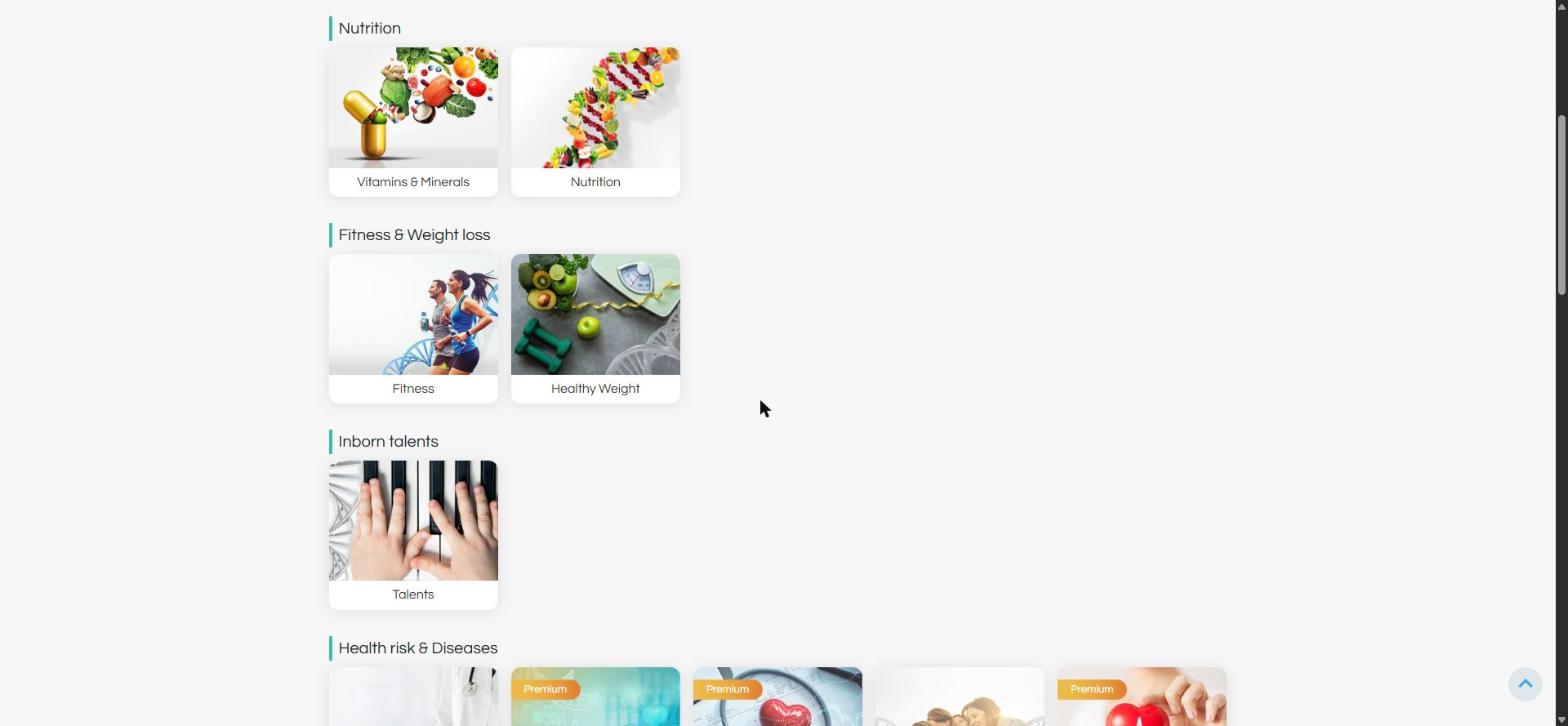 FIG. 06
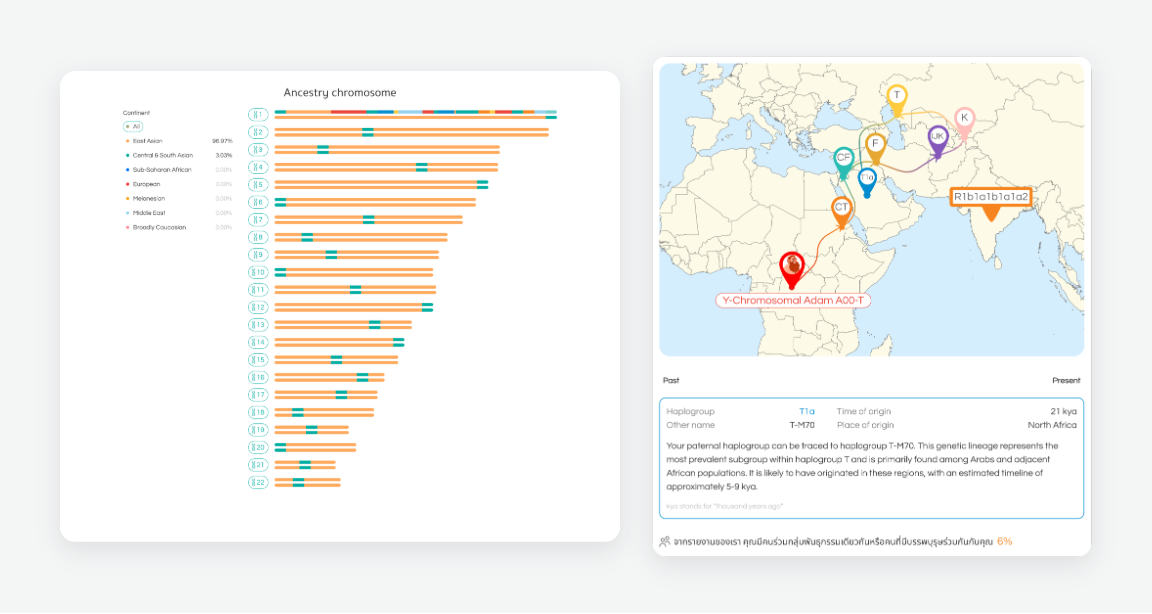 FIG. 07
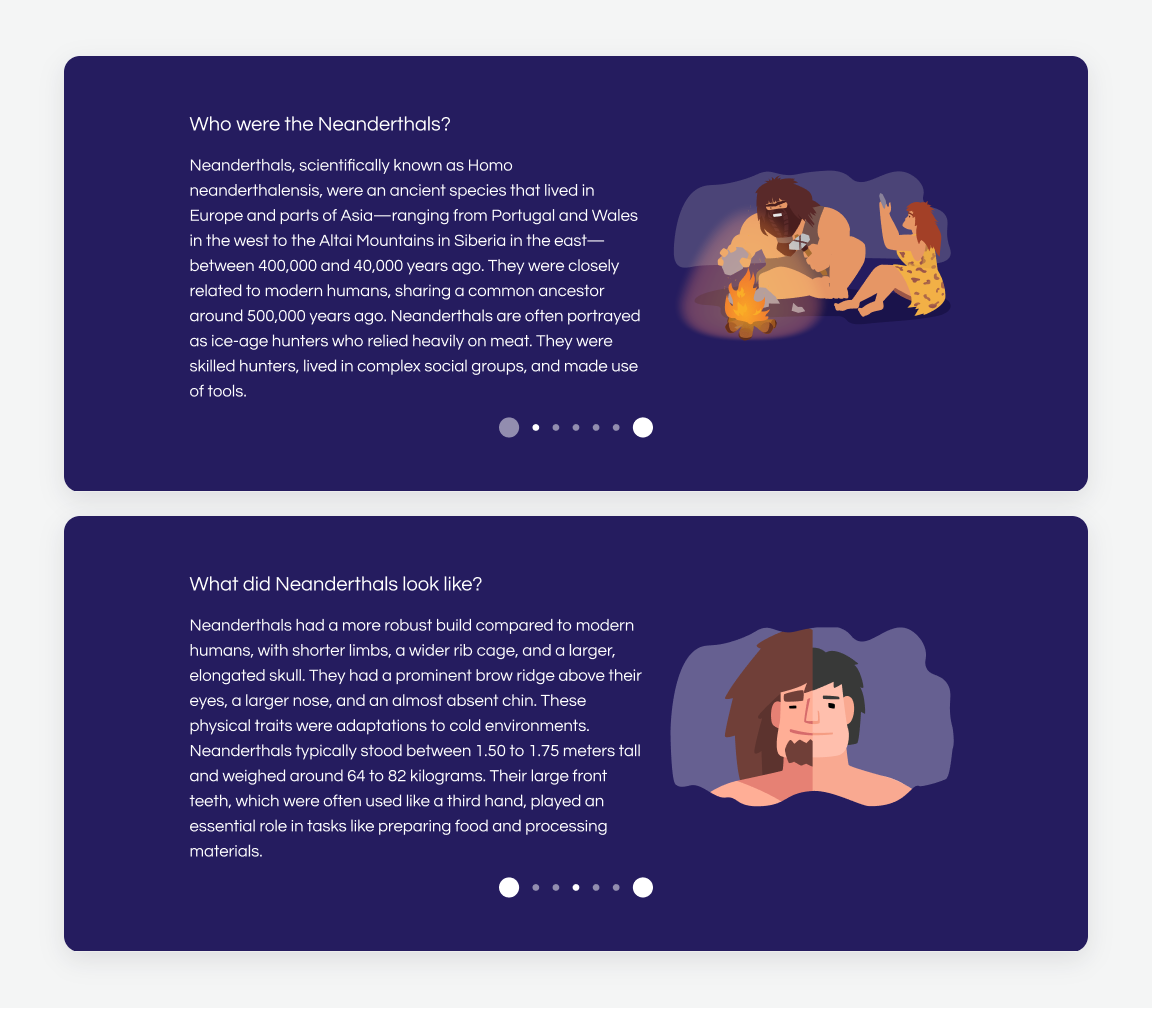 FIG. 08
03Redesign
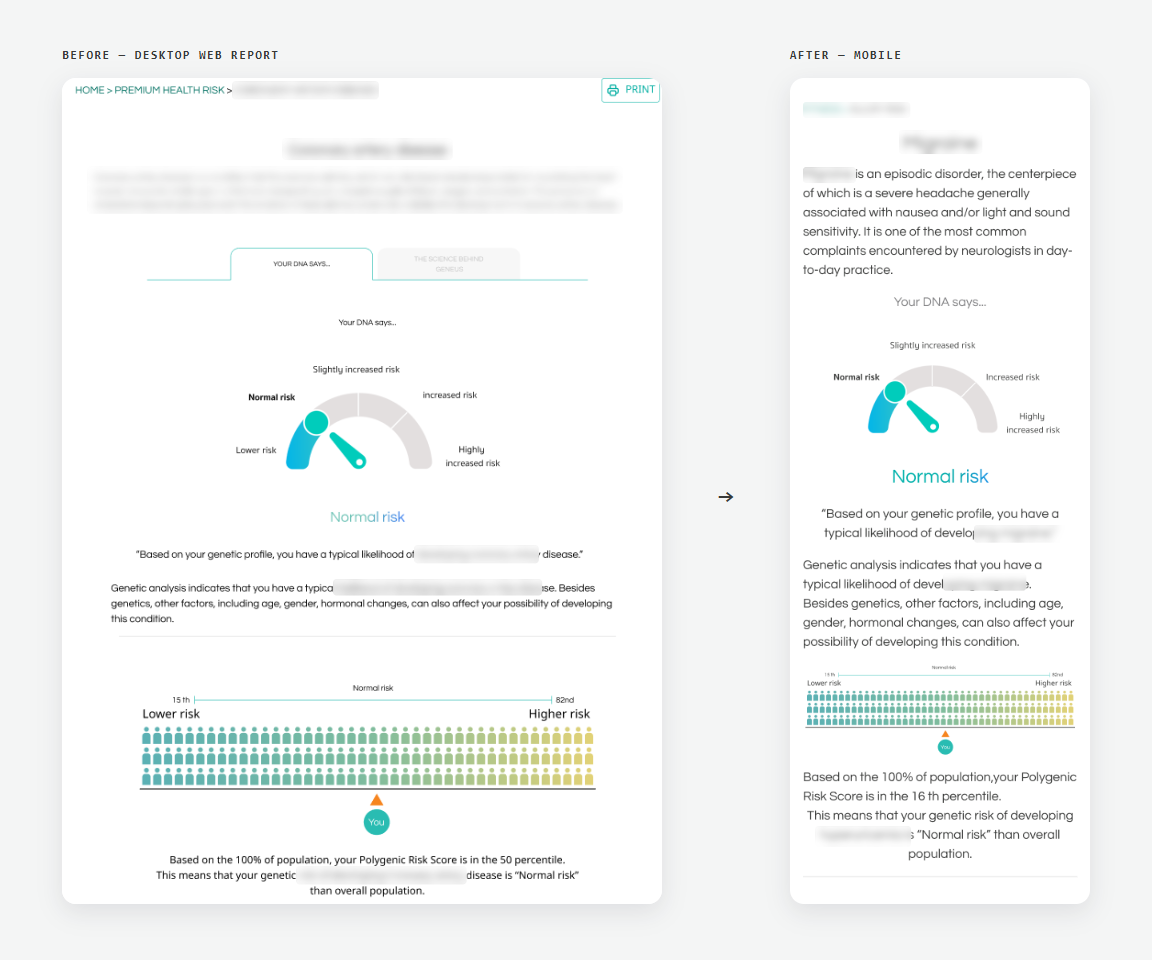 FIG. 09
04Design System
I built the Geneus design system myself. One system serves three brands — GeneusDNA (app and report system), CARE persona and Geneus Pet — all built from the same foundations and components. Geneus Pet swaps in its own primary color and keeps Geneus teal as its secondary; everything else is shared. Every value lives in Figma as a variable: color, type, shadow and blur.
Same system, other brands: CARE persona →Geneus Pet →
- Color
- 5 scales × 10 steps + gray
- Tiers
- Silver / Standard / Premium
- Type
- Desktop + mobile scales
- Icons
- UIcons Rounded, 24px
- Effects
- 7 shadows, 4 blurs
- Components
- Buttons, inputs, toggles, checkboxes, app bars
- States
- Default, hover, focus, disabled, error
- Used in
- GeneusDNA, CARE persona, Geneus Pet
Color scales — ● marks the base step
- 50 #DEF3F2
- 100 #ADE2DE
- 200 #74CFC9
- 300 ● #29BCB2
- 400 #00ADA1
- 500 #009D8F
- 600 #009081
- 700 #008070
- 800 #006F61
- 900 #005344
- 50 #FEF3E9
- 100 #FDE7D2
- 200 #FBCEA5
- 300 #FAB679
- 400 #F89D4C
- 500 ● #F6851F
- 600 #C56A19
- 700 #945013
- 800 #62350C
- 900 #311B06
- 50 #FDECEB
- 100 #FBD9D7
- 200 #F7B4AE
- 300 #F28E86
- 400 #EE695D
- 500 ● #EA4335
- 600 #BD362B
- 700 #912920
- 800 #641C16
- 900 #380F0B
- 50 #FDF6EB
- 100 #FAEED6
- 200 #F5DCAD
- 300 #F0CB84
- 400 #EBB95B
- 500 ● #E6A832
- 600 #BB8828
- 700 #8F681F
- 800 #644915
- 900 #38290C
- 50 #DFF2FA
- 100 #C6E6F5
- 200 #95D0EC
- 300 #63B9E2
- 400 #32A3D9
- 500 ● #008CCF
- 600 #0070A6
- 700 #00547C
- 800 #003853
- 900 #001C29
- 0 #FFFFFF
- 50 #F7F7F7
- 100 #E6E6E6
- 200 #C1C1C1
- 300 #808082
- 400 #636363
- 500 #383938
Brand theme — Geneus Pet
Primary swapped for the Geneus Pet brand color; Secondary is Geneus teal
- 50 #FCE4EC
- 100 #F8BBD0
- 200 #F48FB1
- 300 ● #ED008C
- 400 #B50E52
- 500 #9E0C48
- 600 #870A3E
- 700 #700834
- 800 #590629
- 900 #42041F
- 50 #DEF3F2
- 100 #ADE2DE
- 200 #74CFC9
- 300 ● #29BCB2
- 400 #00ADA1
- 500 #009D8F
- 600 #009081
- 700 #008070
- 800 #006F61
- 900 #005344
Service-tier gradients
- Silver
- Standard
- Premium
Elevation
- xs
- sm
- md
- lg
- xl
- 2xl
- 3xl
05What’s next — One Geneus
 FIG. 10